
Documentation Index
Fetch the complete documentation index at: https://docs.buildingyourdreamstech.com/llms.txt
Use this file to discover all available pages before exploring further.
Objective
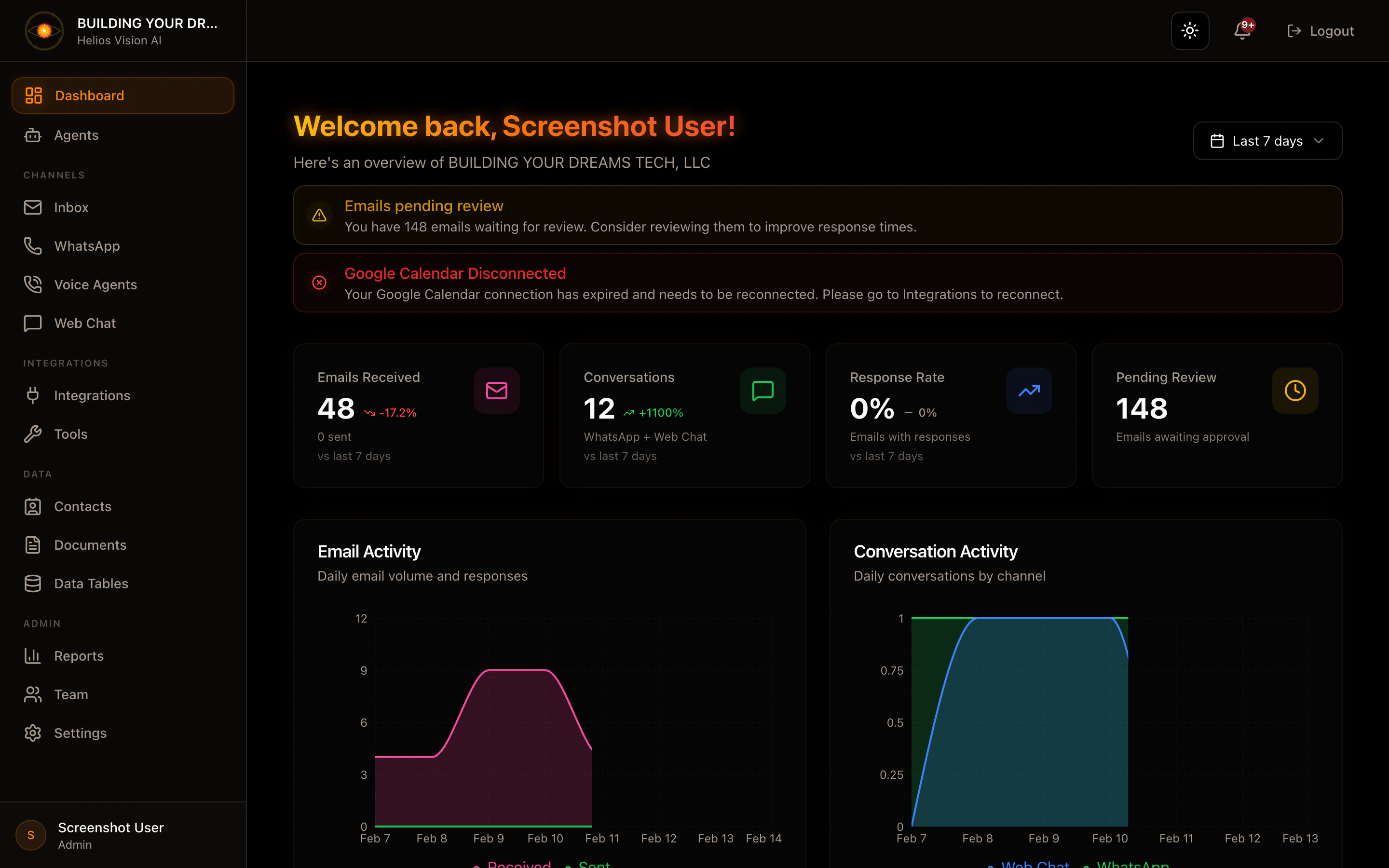
This document summarizes how to navigate the Customer Portal and how the modules connect to each other.Quick map of the portal
- Dashboard: general summary of the tenant and quick access.
- Agents: create and configure AI agents.
- Inbox: Email management with human review.
- WhatsApp: numbers, conversations and message panel.
- Voice Agents: voice agents and telephone numbers (Twilio).
- Web Chat: web widget conversations.
- Integrations: foreign keys (OpenAI, Google, Twilio, Gmail, etc.).
- Tools: functions and webhooks for agents to execute actions.
- Documents: knowledge base for RAG.
- SQL Tables: internal data tables for SQL queries.
- Contacts: contacts and leads.
- Analytics: general metrics.
- Team: users and roles.
- Settings: general settings, categories, Gmail, API keys and billing.
- Notifications: system alerts and channels.
- Onboarding/Plan: plan selection.
Recommended general flow
- Configure Integrations (OpenAI/Google/Twilio).
- Create Agents and activate channels.
- Connect Inbox (Gmail/Outlook/SMTP).
- Connect WhatsApp and Voice Agents (Twilio).
- Upload Documents and/or create SQL Tables.
- Create Tools if external actions are required.
- Test Agents and review Analytics.
Conventions
- The UI uses labels in English. In these manuals they are maintained as is.
- Steps are described as routes within the portal.
- When a module requires external integrations, it is indicated in requirements.