Documentation Index
Fetch the complete documentation index at: https://docs.buildingyourdreamstech.com/llms.txt
Use this file to discover all available pages before exploring further.
Objective
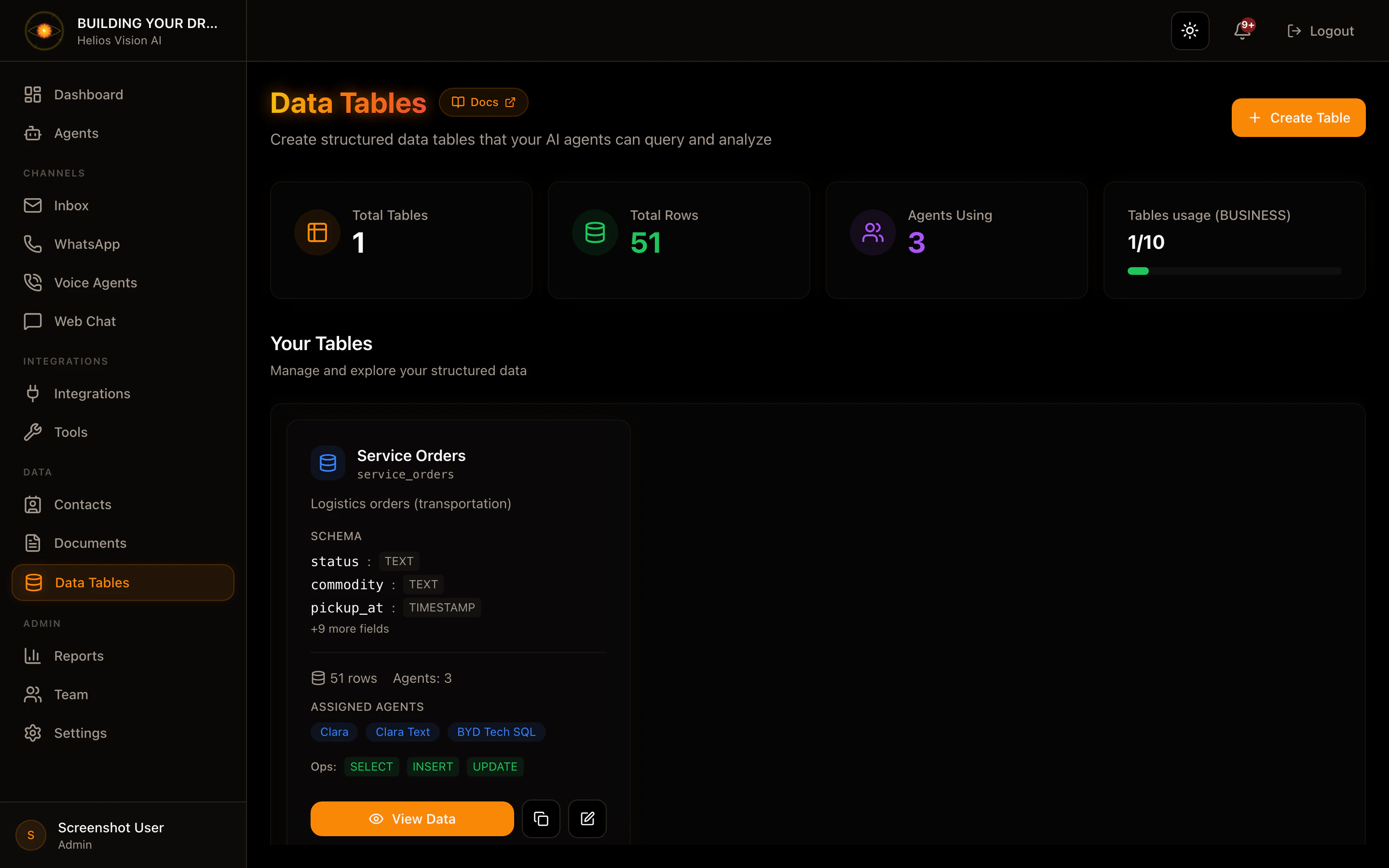
Create structured data tables that your AI agents can query using natural language. Perfect for customer databases, inventory tracking, order management and more.
Access
Sidebar -> Data Tables
Path: /app/{tenant}/sql-tables
Roles with access
Limits per plan
| Plan | Tables | Maximum rows |
|---|
| Free | 1 | 100 |
| Starter | 3 | 5,000 |
| Growth | 5 | 20,000 |
| Business | 10 | 50,000 |
| Enterprise | Unlimited | Unlimited |
Create a table
- Press Create Table
- Complete the form
- Press Create Table
| Field | Mandatory | Format | Example | Note |
|---|
| Table Name (Internal) | Yes | lowercase + _ | customer_orders | Internal identifier |
| Display Name | Yes | text | Customer Orders | Visible in UI |
| Description | No | text | Customer orders | Help agents |
| Schema | Yes | field list | order_id: TEXT | Define structure |
| Allowed Operations | Yes | multiple selection | SELECT, INSERT | Limit operations |
Available field types
| Type | Description | Example |
|---|
| TEXT | Free text | ”John Smith”, “ABC123” |
| NUMBER | Whole numbers or decimals | 100, 99.99 |
| BOOLEAN | True/False | true, false |
| DATE | Date only | 2024-01-15 |
| TIMESTAMP | Date and time | 2024-01-15T14:30:00 |
View and manage data
Path: /app/{tenant}/sql-tables/{id}
Available Features
- Add Row: Add a new record
- Edit Row: Edit an existing record
- Delete Row: Delete a record
- Natural Language Query: Query with AI
- Pagination: Navigate between data pages
Add a row (Add Row)
The form generates a field for each column of the schema.
Notes by type:
- NUMBER: Accepts decimal numbers (ex: 99.99)
- BOOLEAN: Yes/No selector
- DATE: Date picker
- TIMESTAMP: Date and time selector
Natural Language Queries
This is the most powerful feature of Data Tables. Write a question in English or Spanish and the agent translates it into a SQL query.
Queries that work very well
| Type | Sample question |
|---|
| Count records | ”How many clients do I have?" |
| "How many orders are there?” |
| Sum (SUM) | “What is the total sales?" |
| "What is the total revenue?” |
| Average (AVG) | “What is the average order value?" |
| "What is the average order value?” |
| Maximum (MAX) | “What is the highest sale?" |
| "What is the highest sale amount?” |
| Minimum (MIN) | “What is the smallest order?" |
| "What is the minimum order?” |
| Filter by value | ”Show orders over $100" |
| "Find customers from Mexico” |
| Filter by date | ”Orders for January 2024" |
| "Orders after January 1st, 2024” |
| Sort results | ”Show the last 10 orders sorted by date" |
| "Show orders sorted by amount descending” |
| Combinations | ”What is the total sales for orders over $50?" |
| "Average price of products added this month” |
Practical examples per use case
For an Orders table
"How many orders are there in total?"
"What is the total sales amount?"
"Show orders over $500"
"Orders from the last month sorted by date"
"What is the largest order?"
For a Customers table
"How many customers do we have?"
"Customers from Mexico"
"Customers registered after January 1st"
"Show the last 5 customers added"
For a Products table
"How many products are there?"
"What is the average price?"
"Products with a price above $100"
"Most expensive product"
"Cheapest product"
Features not supported (yet)
| Operation | Status | Note |
|---|
| GROUP BY | In development | ”Sales by region” does not work yet |
| JOIN | Not supported | Tables cannot be related |
| OR conditions | Not supported | Just AND to combine filters |
| Subqueries | Not supported | Simple queries only |
Technical notes
- COUNT works with any number of records (100% accuracy)
- SUM, AVG, MAX, MIN are calculated on a maximum of 500 records
- Results are limited to 100 rows per query
- Dates must be in ISO format (YYYY-MM-DD)
Assign tables to agents
For an agent to query a table:
- Go to Agents -> select the agent
- In the Tools section, activate Data Tables
- Select the tables that the agent can query
- Save changes
The agent will now be able to answer questions about those tables in chat, email, or voice conversations.
Good practices
- Descriptive names: Use clear names for tables and fields
- Fields in English: Keep field names in English for better compatibility
- Limit operations: Only enable INSERT/UPDATE/DELETE if necessary
- Useful descriptions: Add descriptions that help the agent understand the data
- Correct Types: Use NUMBER for numeric values, DATE for dates
Troubleshooting
”No results found”
- Verify that there is data in the table
- Check the spelling of the searched values
- Try a simpler query first
”Query failed”
- Avoid using OR in your questions
- Do not ask to group by category (GROUP BY)
- Make sure the fields exist in the schema
The agent does not respond about the table
- Verify that the table is assigned to the agent
- Confirm that the agent has the “Data Tables” tool enabled
- Check that “Allowed Operations” includes SELECT
Screenshot