Documentation Index
Fetch the complete documentation index at: https://docs.buildingyourdreamstech.com/llms.txt
Use this file to discover all available pages before exploring further.
Objective
Configure voice agents with phone numbers (Twilio) and analyze calls.
Access
Sidebar -> Voice Agents
Path: /app//voice-agents
Roles
Prerequisites
- Integrations: Twilio connected.
- Agents: a base agent with Voice channel enabled and realtime compatible model.
- Integrations: OpenAI for analytics (transcription/summary/sentiment).
- Integrations: ElevenLabs if you want external TTS voice.
Create a Voice Agent
Under Voice Agents, tap Create Voice Agent.
The modal has 3 steps:
Step 1: Select Base Agent
Fields:
| Field | Mandatory | Format | Example | Note |
|---|
| Base Agent | Yes | selection | Support Agent | Must have Voice enabled |
Step 2: Voice Configuration
Fields:
| Field | Mandatory | Format | Example | Note |
|---|
| Voice Provider | Yes | OpenAI or ElevenLabs | OpenAI | ElevenLabs requires key |
| Primary Language | Yes | language code | is | Affects pronunciation |
| Initial Greetings | No | text | Hello, how can I help you | Plays on startup |
| Voice (OpenAI) | Yes | selection | alloy | Some voices do not have a preview |
| Voice ID (ElevenLabs) | Yes | text | UOIqAnmS… | From ElevenLabs |
- Transcription (enable)
- AI Summary (enable)
- Sentiment Analysis (enable)
- Call Recording (enable, requires Twilio)
Call Termination:
-Enable End Call (ON/OFF)
- End Call Prompt (long text)
- Inactivity Timeout (seconds, 5-60)
Step 3: Phone Number (Twilio)
Options:
- Save Twilio SID/Auth Token if you are not connected.
- Select an existing Twilio number (dropdown).
- Manual Phone Number (+E.164 format).
Fields:
| Field | Mandatory | Format | Example | Note |
|---|
| Twilio Account SID | Yes (if not connected) | AC… | ACxxxx | Integrations |
| Twilio Auth Token | Yes (if not connected) | 32 chars | ******** | Integrations |
| Phone Number | Yes | +E.164 | +15551234567 | Twilio number |
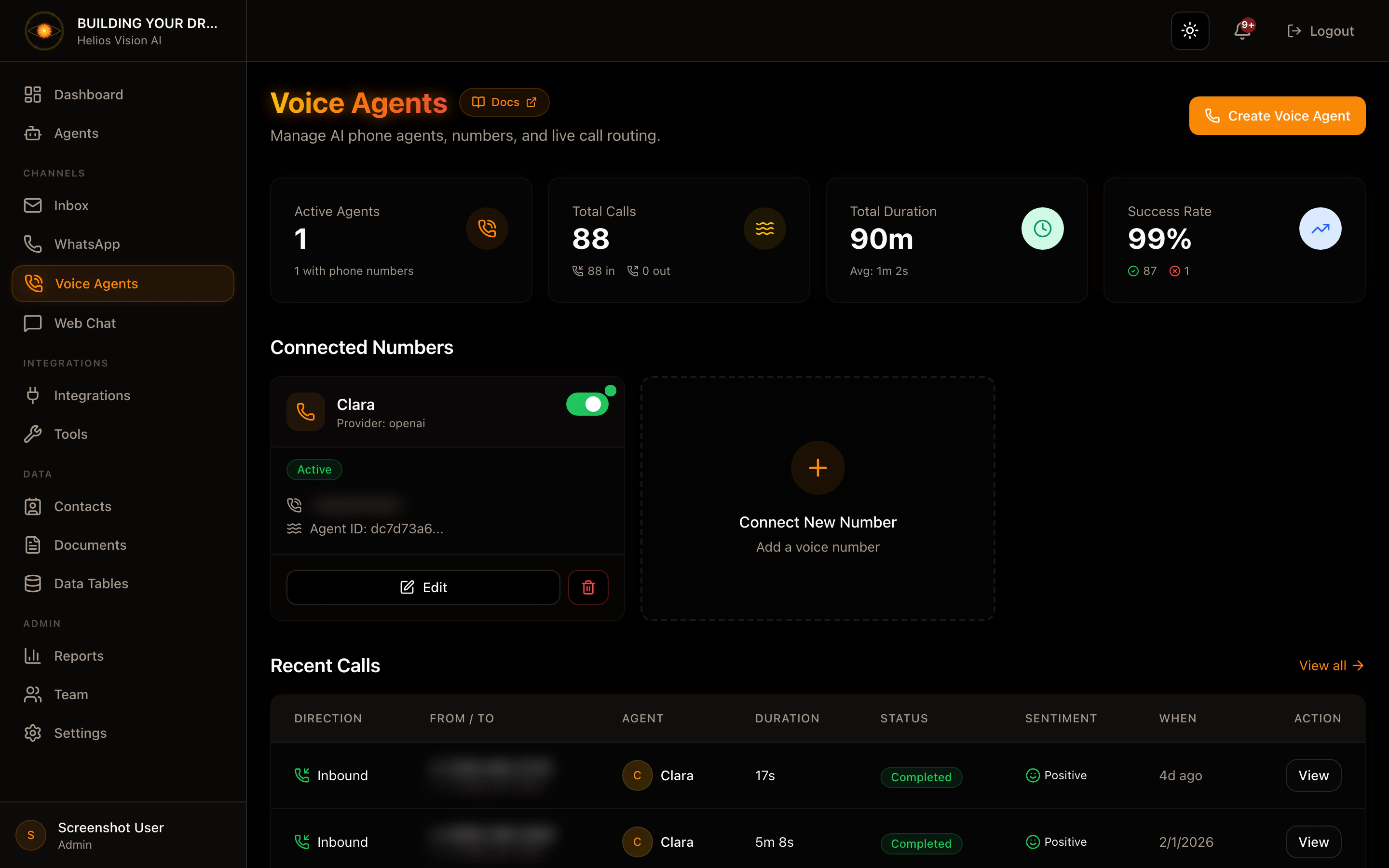
Manage Voice Agents
On each card:
- Toggle Active/Inactive.
- Edit
- Delete.
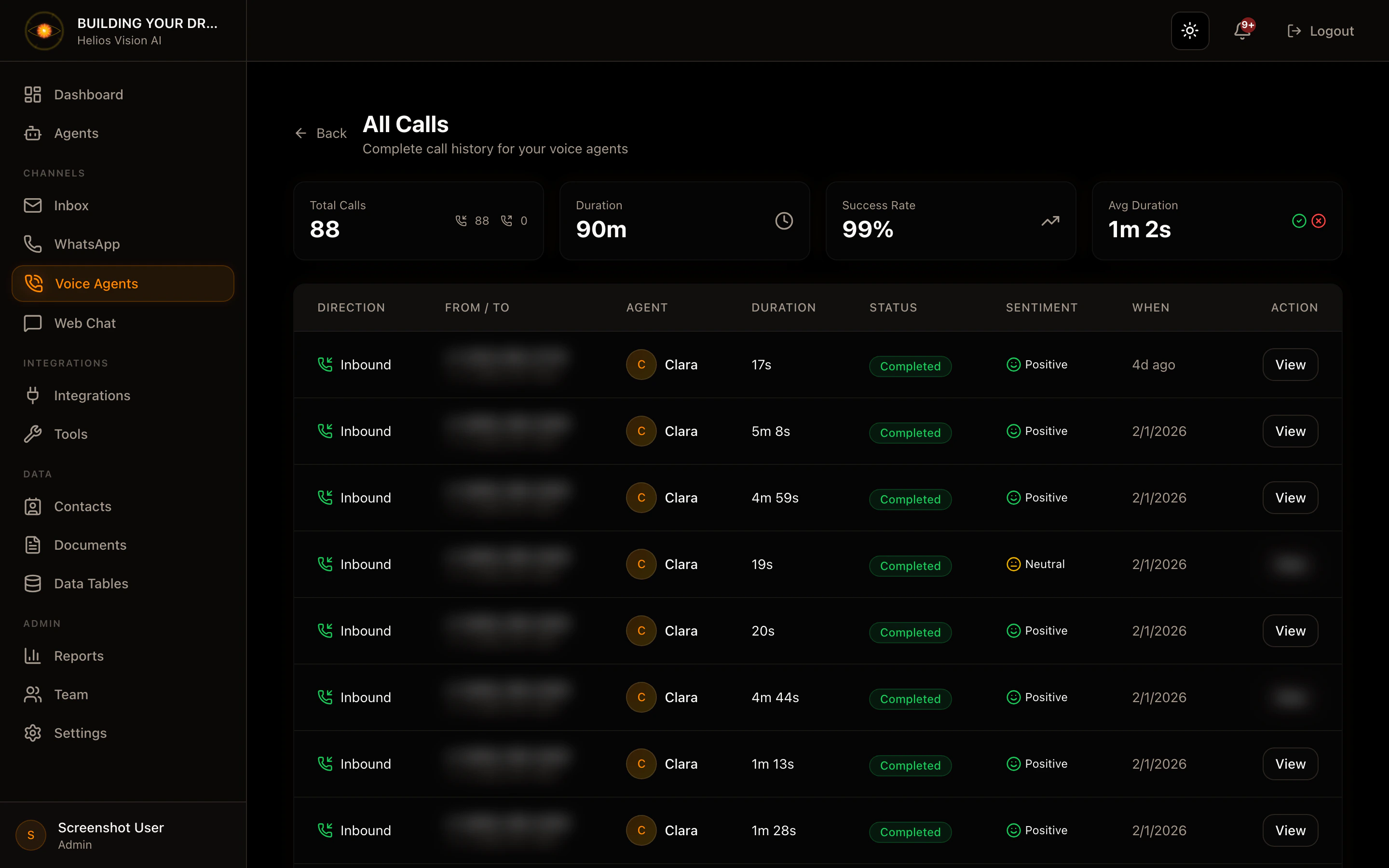
Calls
Routes:
- /app//voice-agents/calls (list)
- /app//voice-agents/calls/ (detail)
Data displayed:
- Direction (inbound/outbound)
-From/To
-Agent
- Duration
- Status
- Sentiment
- Date and time
Good practices
- Use an agent base with a clear and brief prompt.
- Defines a short Initial Greeting.
- Activate Inactivity Timeout as a backup.
- If you use ElevenLabs, validate that the Voice ID is correct.
Common errors
- The base agent does not appear: the agent does not have Voice enabled or the model is not realtime.
- Numbers do not appear: Twilio not connected.
- Analytics not working: OpenAI not connected.
