
Documentation Index
Fetch the complete documentation index at: https://docs.buildingyourdreamstech.com/llms.txt
Use this file to discover all available pages before exploring further.
Objective
Create functions that agents can execute (webhooks or integration actions).Access
Sidebar -> Tools Path:/app/{tenant}/tools
Roles
- owner, admin, agent
Prerequisites
- Connected Integrations if you want Integration Actions.
Create a Tool
Press Create Tool.Type 1: API Request (Webhook)
Fields:| Field | Mandatory | Format | Example | Note |
|---|---|---|---|---|
| Tool Name | Yes | text | Book Appointment | Display name |
| Description | No | text | Book an appointment in CRM | Help the agent |
| URL API | Yes | URL | https://api.example.com/appointments | Supports {variable} |
| HTTP Method | Yes | GET/POST/PUT/DELETE | POST | - |
| Authentication | No | none/bearer/basic | bearer | Optional |
| Bearer Token | Yes (if bearer) | text | ******** | - |
| Basic Auth | Yes (if basic) | user/pass | user/pass | - |
| Headers | No | key/value | Authorization | Use {variable} |
| Query Params | No | key/value | status=active | Use {variable} |
| Body (JSON) | No | JSON | {"id":"{contactId}"} | Valid JSON |
| Parameters Schema | No | JSON schema | {"type":"object"...} | Describe args |
- If Body is empty, the tool payload is sent as JSON.
- Use
{variable}to insert tool arguments.
Type 2: Integration Action
Steps:- Select the integration (Google Calendar, Gmail, etc.).
- Choose mode:
- Quick Add Multiple: multiple selection.
- Add Single (Custom): customize name/description.
| Field | Mandatory | Format | Example | Note |
|---|---|---|---|---|
| Integration | Yes | selection | Google Calendar | Must be connected |
| Action | Yes | selection | Create event | According to catalog |
| Tool Name | Yes (custom) | text | Create Meeting | Editable |
| Description | No | text | Create event | Editable |
See Tools
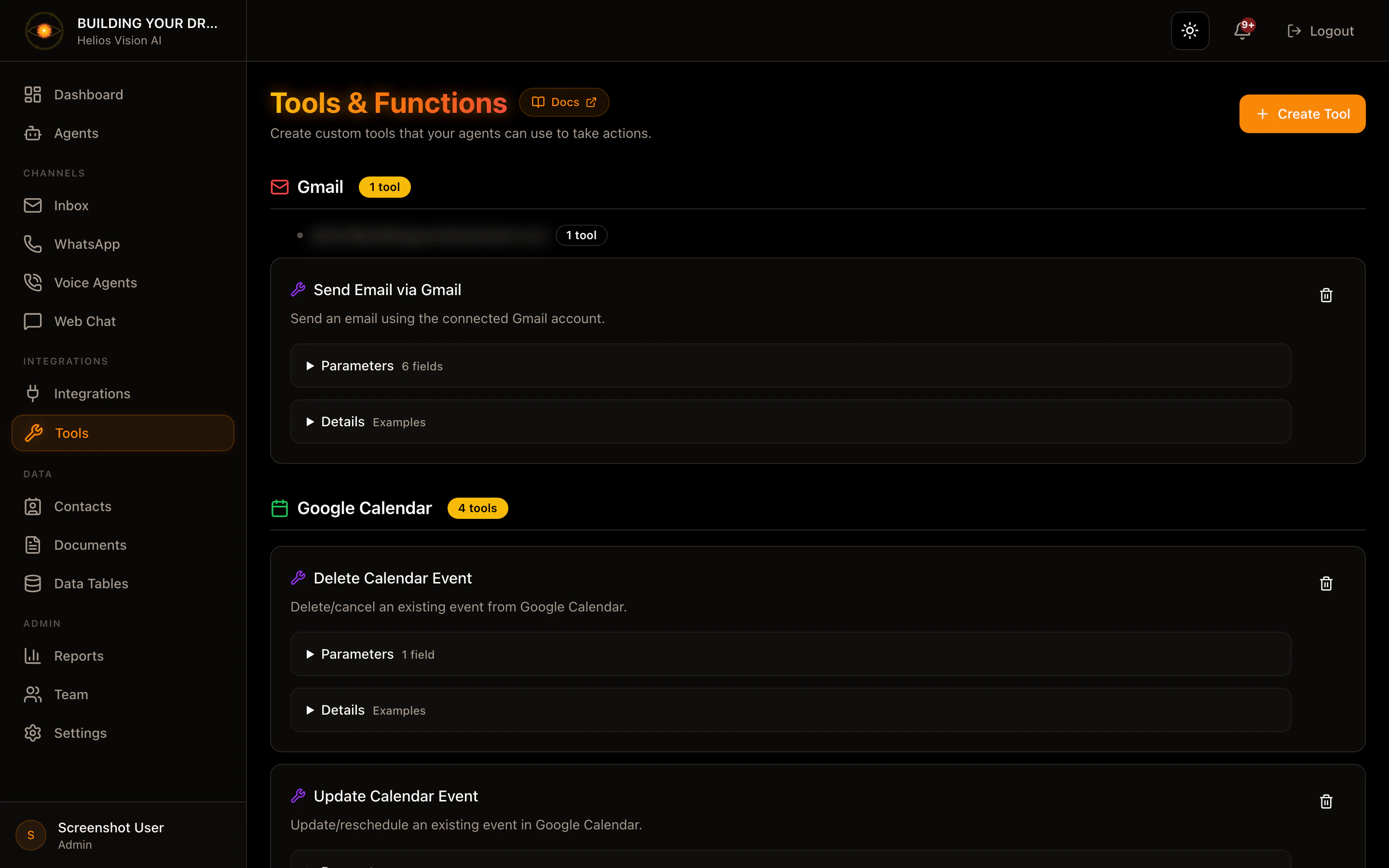
In the list you can:- See description.
- Open Parameters and Details.
- Delete tool.
Good practices
- Use actionable names (Create Ticket, Update Order).
- Define Parameters Schema to avoid errors in execution.
- Document examples in Description if possible.
Screenshot
Related
- Integrations
- AI Agents (tool selection)