Documentation Index
Fetch the complete documentation index at: https://docs.buildingyourdreamstech.com/llms.txt
Use this file to discover all available pages before exploring further.
Objective
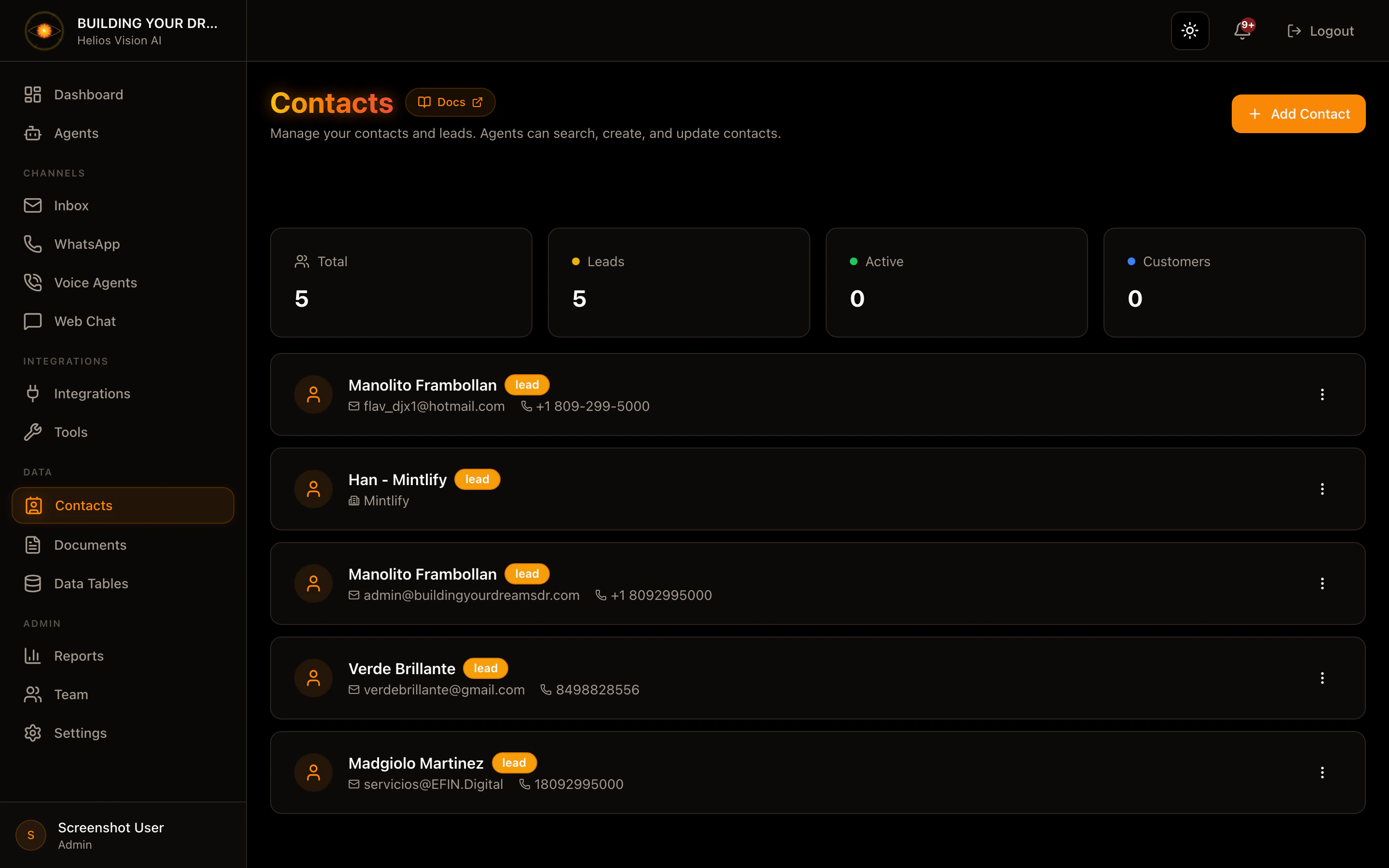
Manage contacts and leads so that agents can consult and update them.Access
Sidebar -> Contacts Path: /app//contactsRoles
- owner, admin, agent
Create contact (Add Contact)
Step by step:- Press Add Contact.
- Complete the form.
- Press Create Contact.
| Field | Mandatory | Format | Example | Note |
|---|---|---|---|---|
| Name | Yes | text | John Doe | - |
| Status | No | lead/active/customer | lead | Contact status |
| No | valid email | john@acme.com | - | |
| Telephone | No | text | +1 555 123 4567 | - |
| Company | No | text | Acme Inc. | - |
| Job Title | No | text | Sales Manager | - |
| Notes | No | text | VIP Client | - |
Edit contact
- In the list, open the menu (three dots).
- Press Edit.
- Adjust fields and press Save Changes.
Archive contact
- In the list, open the menu.
- Press Archive.
- Confirm.
Search contacts
- Use the search engine by name, email, phone or company.
Good practices
- Maintain updated status (lead, active, customer).
- Complete Phone and Email for quick contact.
Screenshot