
Documentation Index
Fetch the complete documentation index at: https://docs.buildingyourdreamstech.com/llms.txt
Use this file to discover all available pages before exploring further.
Objective
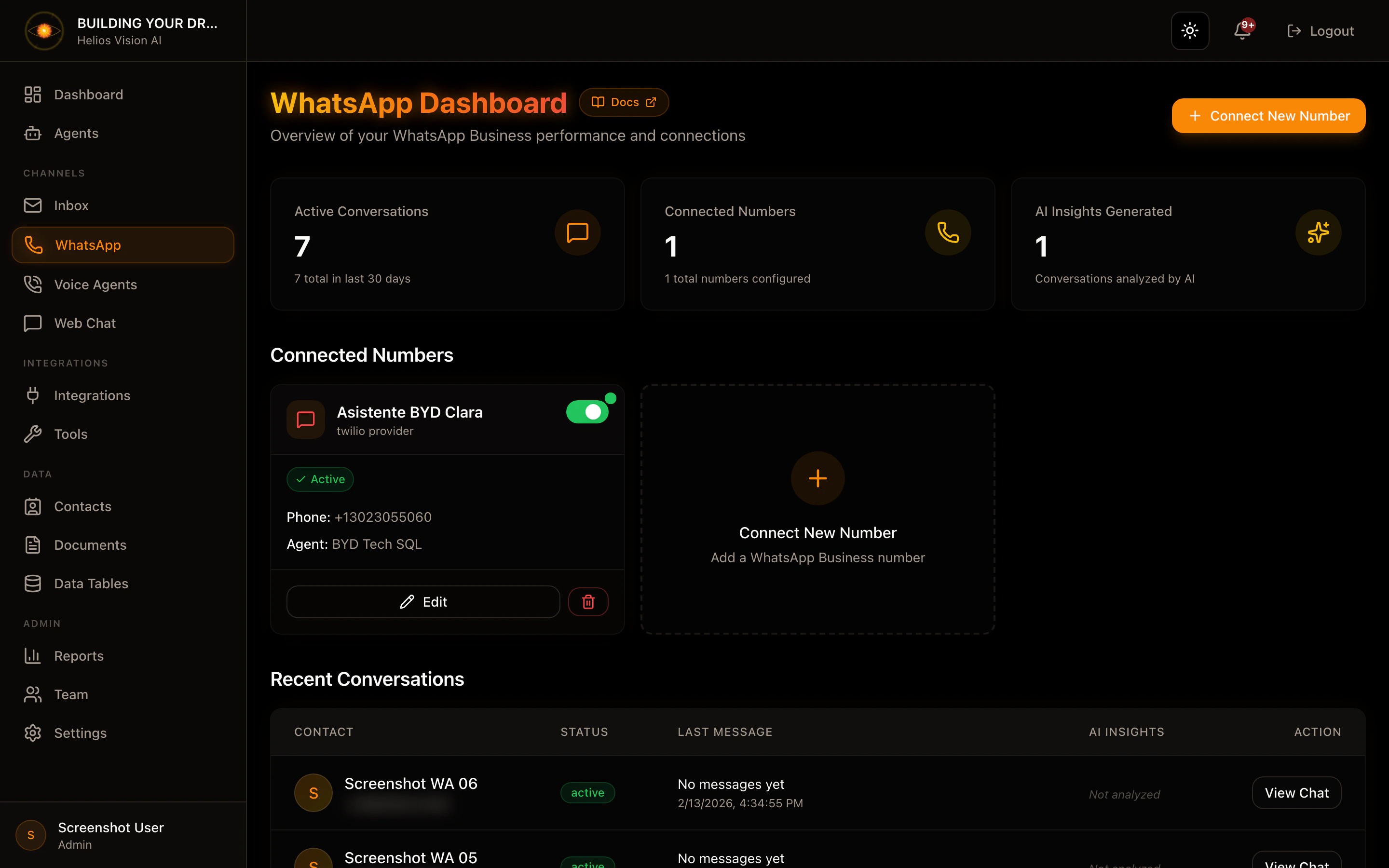
Connect WhatsApp Business numbers and manage conversations in real time.Access
Sidebar -> WhatsApp Path: /app//whatsappRoles
- owner, admin, agent
Prerequisites
- Integrations: Twilio connected (recommended) or Meta Cloud API.
- Agent with WhatsApp channel enabled.
Connect a number (Connect New Number)
Step by step:- In WhatsApp, tap Connect New Number.
- Complete the modal fields.
- Press Connect Number.
| Field | Mandatory | Format | Example | Note |
|---|---|---|---|---|
| Display Name | Yes | text | Sales Support | Display name |
| Assigned Agent | Yes (if Active) | selection | Support Agent | You must have WhatsApp enabled |
| Active | No | checkbox | ON | If active, requires agent |
Twilio (recommended)
- Requires Twilio connected in Integrations.
- Select the number from the Twilio dropdown.
- If it does not appear, use manual entry with the format: whatsapp:+1234567890.
Meta Cloud API (legacy)
Fields:| Field | Mandatory | Format | Example | Note |
|---|---|---|---|---|
| Phone Number ID | Yes | text | 123456789 | From Meta Business |
| Business Account ID | No | text | 987654321 | Optional |
| Access Token | Yes | token | EAAG… | Permanent token |
Manage connected numbers
On each card you can:- Toggle Active/Inactive.
- Edit (opens editing modal).
- Delete (requires confirmation).
Recent conversations
In the conversation table:- Click on View Chat to open the conversation.
- Status, last message and sentiment if it exists are shown.
Conversation view (WhatsApp chat)
Path: /app//whatsapp/ Actions:- Send message (textarea + Send).
- Close / Archive / Reopen according to status.
- Toggle AI Active / AI Disabled.
- Delete (admin/owner only).
- Generate Insights (sentiment + summary).
- Sentiment Analysis
- Conversation Summary
WhatsApp notifications
Path: /app//whatsapp/notifications Features:- See escalation alerts or new messages.
- Mark as read individual or Mark all as read.
- Open the conversation from the link.
Good practices
- Assign an agent before activating the number.
- Use Twilio as primary provider.
- If you deactivate AI, the conversation is only for humans.
Common errors
- Numbers do not appear: check Twilio in Integrations.
- Error sending: check format of the number and credentials.