
Documentation Index
Fetch the complete documentation index at: https://docs.buildingyourdreamstech.com/llms.txt
Use this file to discover all available pages before exploring further.
Objective
Manage web chat conversations embedded in websites.Access
Sidebar -> Web Chat Path: /app//conversationsRoles
- owner, admin, agent
Prerequisites
- An agent with Web Chat channel enabled.
- Widget installed on your site (see web chat widget).
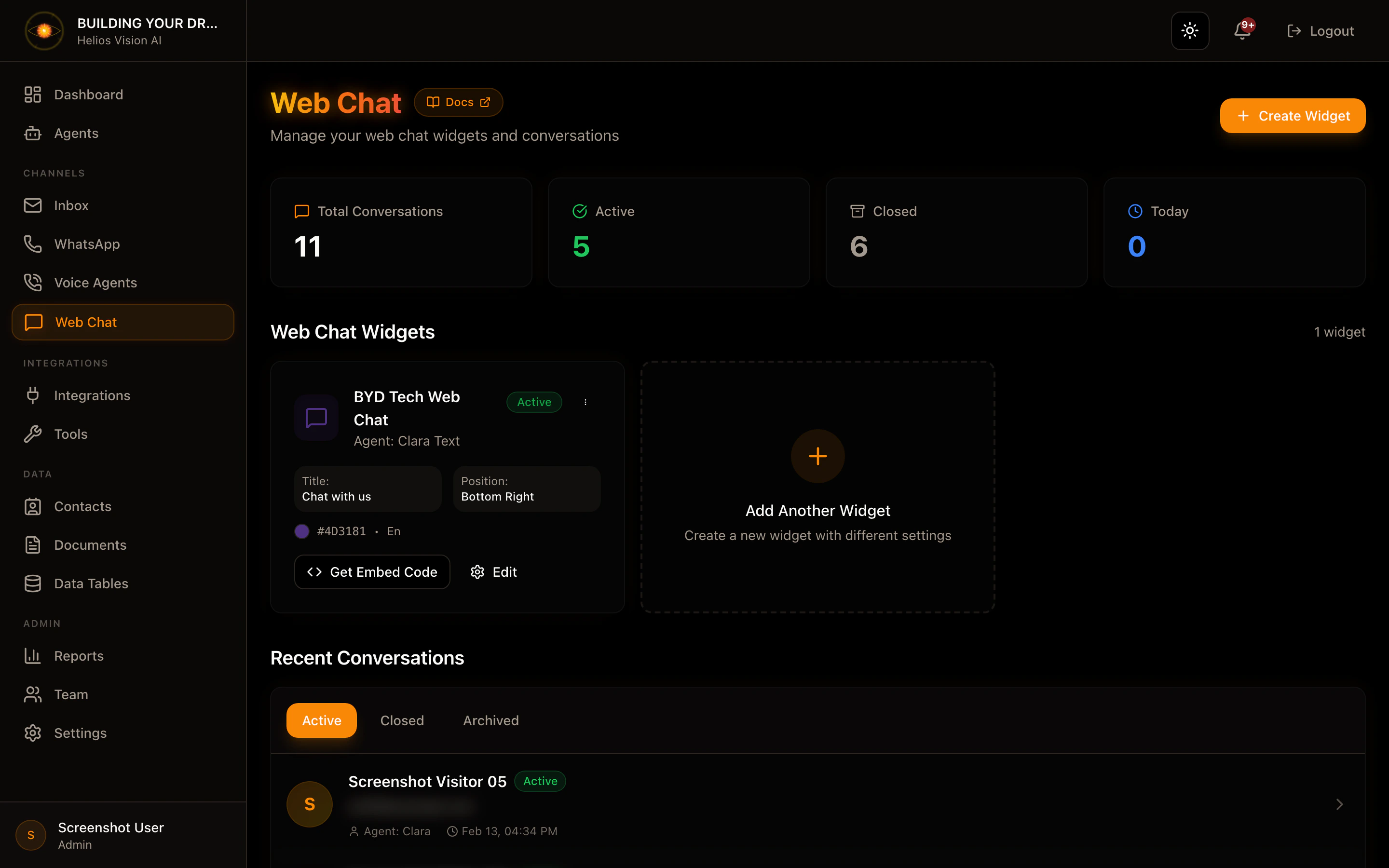
Conversation list
In the main view you can:- Filter by status: active, closed, archived.
- Open a conversation with View.
- Name of the visitor (or Anonymous Visitor)
- Email or visitor_id
- Agent assigned
- Date and time
Conversation detail
Path: /app//conversations/ Actions:- Send message (input + Send) -Transfer to Human
- Close (if status active)
- Archive (if status closed)
- The panel updates every few seconds.
- Messages show if they used RAG or SQL.
Good practices
- Use Transfer to Human when the user requests it.
- Close the conversation when the topic is resolved.
Screenshot
Related
- Web Chat Widget (Embed) (widget installation)